
Property
The property is the top level of the real estate master data – the estate as a whole. It carries the address, the client and the accounting assignment; all buildings and units hang below it.
What is this for?
- Record the estate with its address.
- Assign the client as a business partner.
- Define the management type and set up the accounting assignment via dimension and fiduciary account.
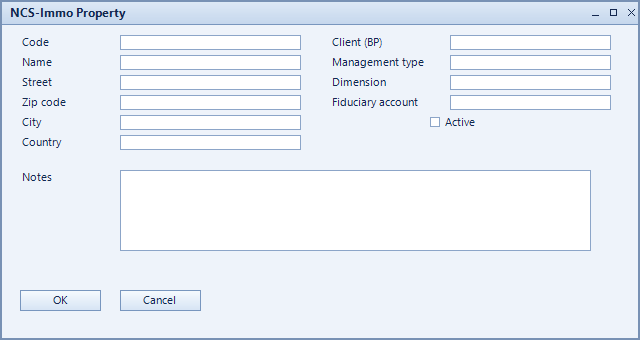
How to set it up
- Create the property and assign code and name.
- Record the address via street, zip code, city and country.
- Assign the client (BP) and choose the management type.
- Provide dimension and fiduciary account for accounting, then activate.
Fields of the form
Captions taken from the "NCS-Immo Property" form (table @NCSIMMOPROP).
| Field | Meaning |
|---|---|
| Code | Unique key of the record. |
| Name | Name of the record. |
| Street | Street and number of the estate. |
| Zip code | Postal code. |
| City | City. |
| Country | Country. |
| Client (BP) | Client as a business partner in SAP. |
| Management type | Type of management, for example condominium or rental management. |
| Dimension | Dimension used for cost accounting. |
| Fiduciary account | Fiduciary account the payments run through. |
| Active | Enables the record. Only active records are evaluated. |
| Notes | Free text about the property. |